Free Farming Simulator Mods

Fs25 Mods - Fs22 Mods - Fs19 Mods

Discover and download free Farming Simulator mods for FS25 and FS22. FS19 Mods Find tractors, vehicles, maps, trailers, tools and more.

98,166 Mods
32 Downloads
Reklam / Sponsor

Explore Mods by Category

4154 mods listed (Page 1 / 174)

Enhanced Vehicle V1.0 FS22 FS22 Mod Free Download
FS22fs22-mods
Verified Clean

Enhanced Vehicle V1.0 FS22

FS22 Other Community Mod

Fresh Mod
0 downloads

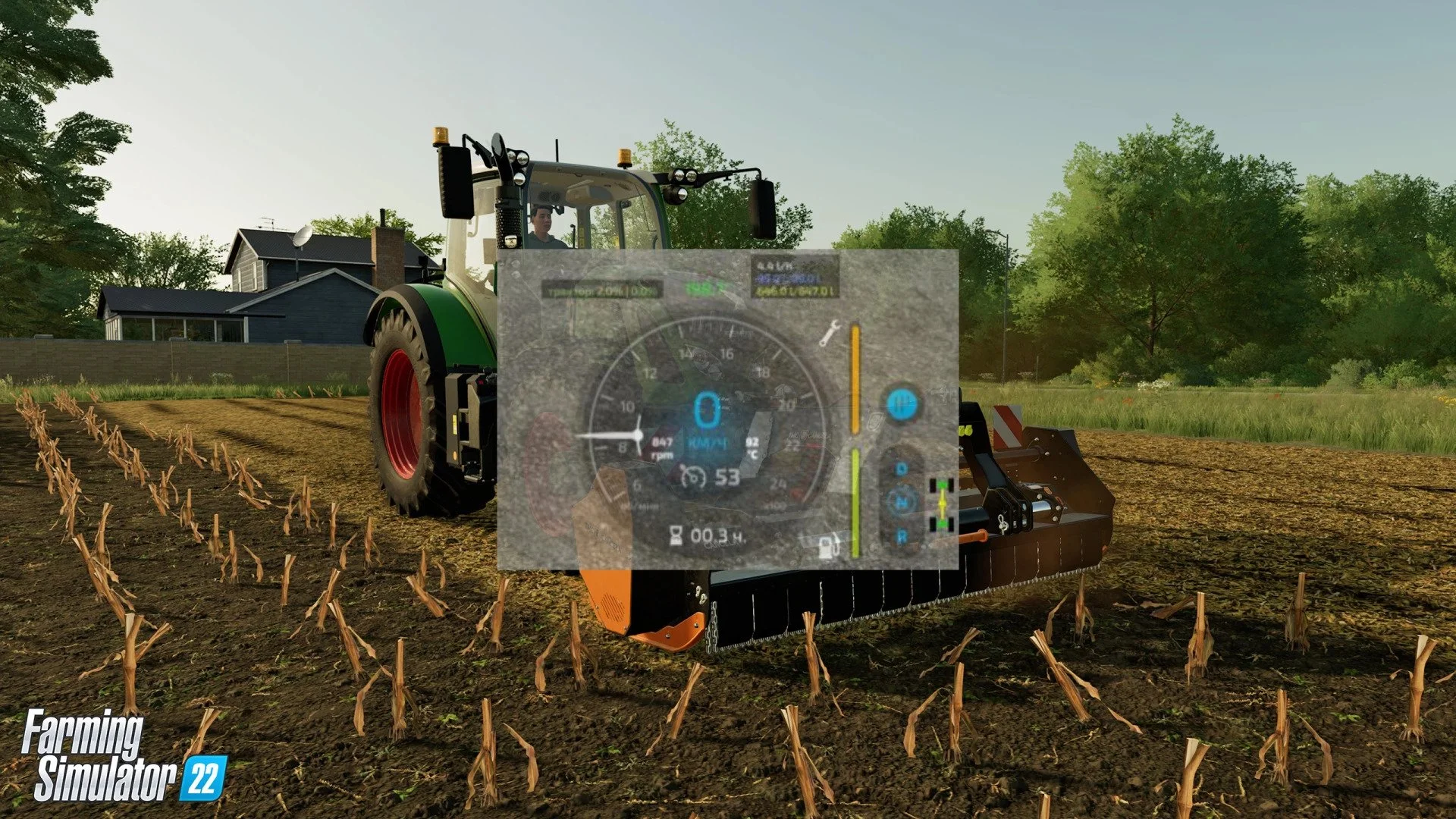
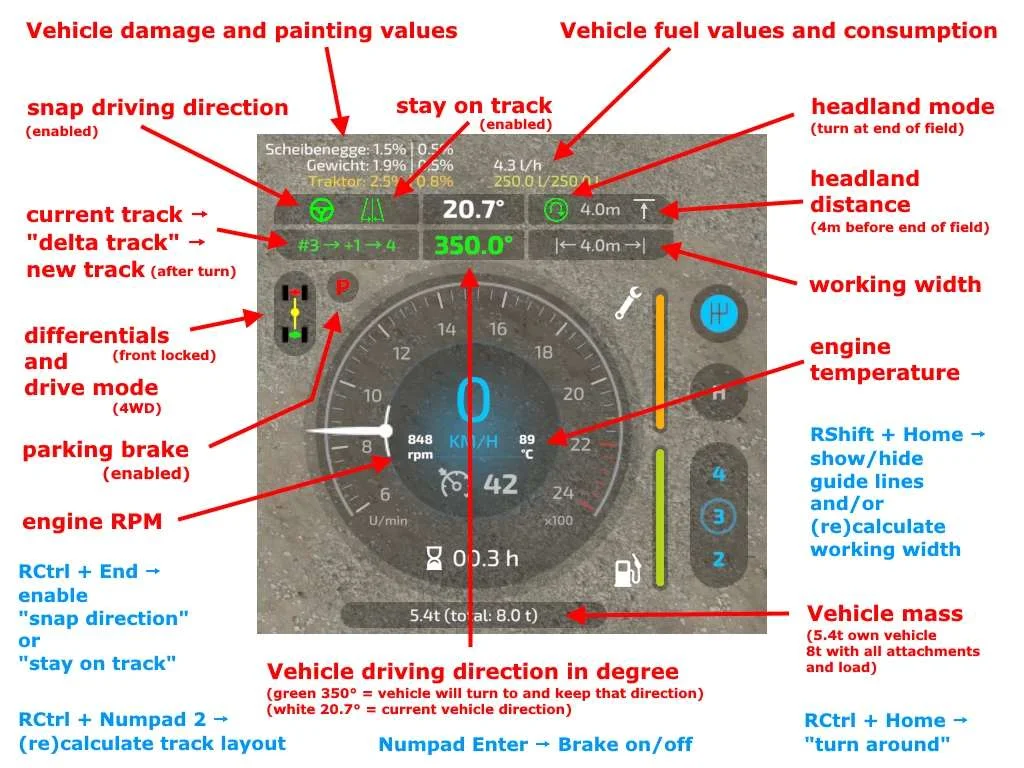
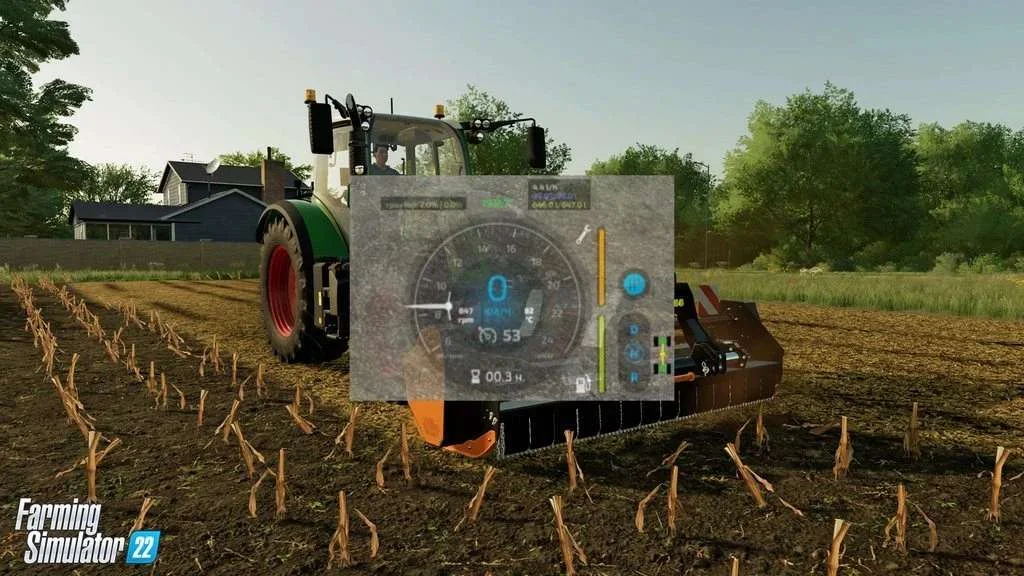
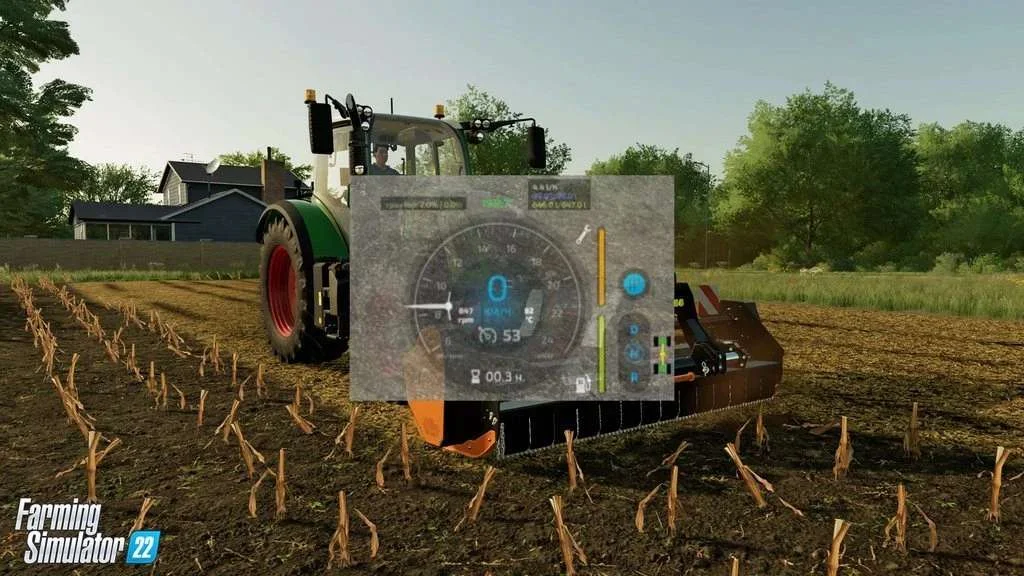
The modification brings more information about the vehicle to the screen and adds several new features. Adds heading mode to your vehicle (he calls this a temporary fix until GPS / GuidanceSteering is released), differential locks, four-wheel drive modes, and improved hydraulic control. It also shows more details of the car in the HUD. The HUD displays: โ€“ Damage values โ€‹โ€‹in% for the driven machine and all its attachments. โ€“ Fuel level for diesel / AdBlue / electric / methane and current fuel consumption. โ€“ Current status of differential lock and 4WD mode. โ€“ Current engine speed and temperature. โ€“ The current weight of the driven vehicle and the total weight with all its accessories and weights. In multiplayer, all clients except the host will not display fuel consumption, engine temperature and weight correctly due to GIANTS Engine crash. ATTENTION: the mod is under development. This is a developer version โ€“ it may contain bugs. Below is a list of control buttons: โ€“ Ctrl + End โ€“ fix the direction of movement; โ€“ Shift + End โ€“ previous direction of movement; โ€“ Ctrl + Home โ€“ rotate and fix the direction (180 ยฐ); โ€“ Ctrl + PageUp and Ctrl + PageDown โ€“ change direction by 45 ยฐ; โ€“ Shift + PageUp and Shift + PageDown โ€“ change direction by 1 ยฐ; โ€“ Ctrl + Shift + PageUp and Ctrl + Shift + PageDown โ€“ change direction by 22.5 ยฐ; โ€“ Ctrl + Num 7 โ€“ enable / disable the differential on the front axle; โ€“ Ctrl + Num 8 โ€“ connect / disconnect the differential on the rear axle; โ€“ Ctrl + Num 9 โ€“ switch the mode of full (4WD) / not all-wheel drive (2WD); โ€“ Ctrl + Num / โ€“ reset the interface on errors or after changing the mod interface settings; โ€“ Ctrl + Num * โ€“ reload XML file when to display changes without reloading the game; โ€“ Shift + Home โ€“ disable / enable information display (Damage and fuel). Tags: ATTENTION HUD XML

fs22-other
Free Download.ZIP File
Ready to DownloadDownload Mod
Place Anywhere by Ian898 v1.0 FS22 FS22 Mod Free Download
FS22fs22-mods
Verified Clean

Place Anywhere by Ian898 v1.0 FS22

FS22 Other Community Mod

Fresh Mod
0 downloads

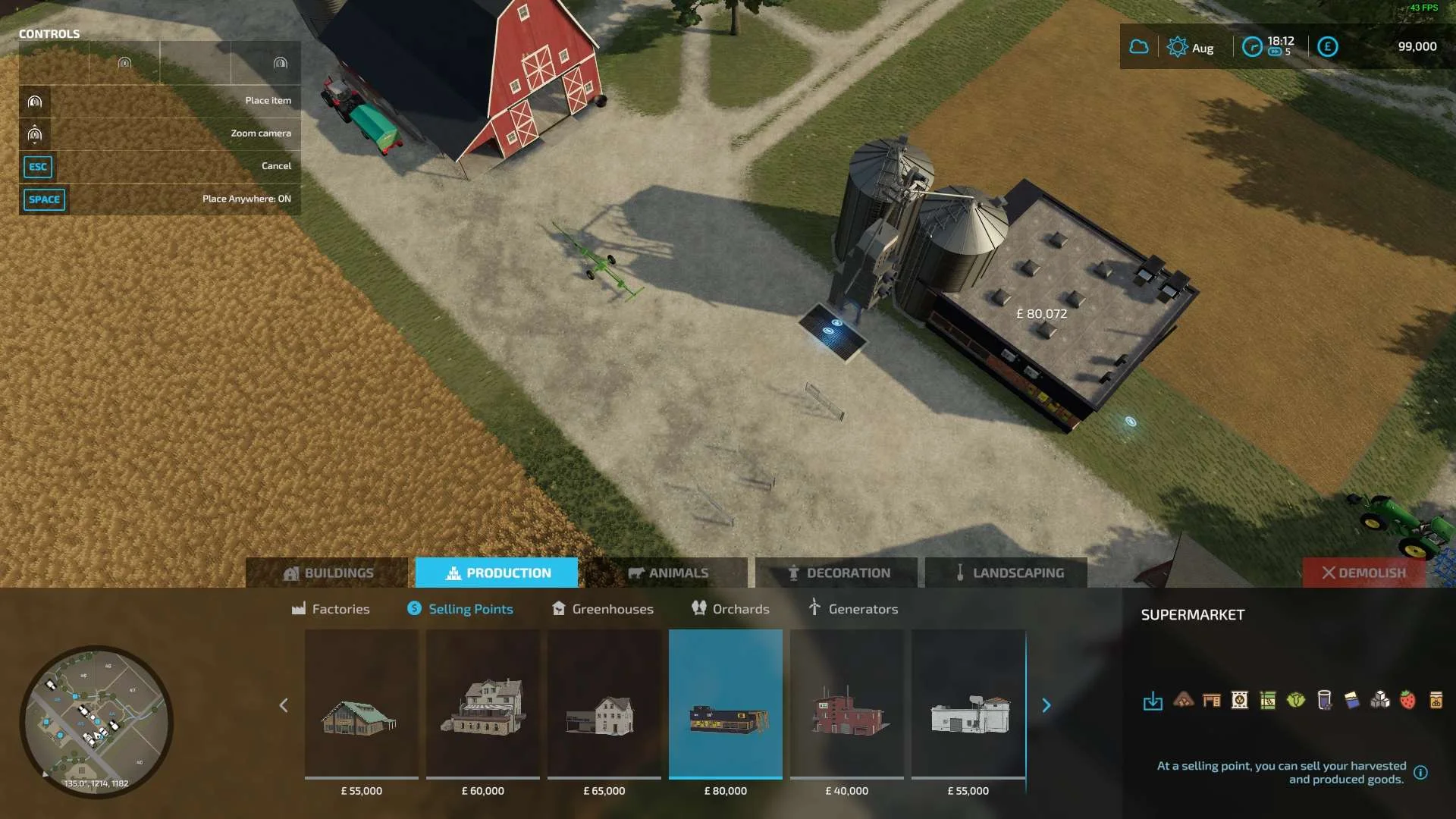
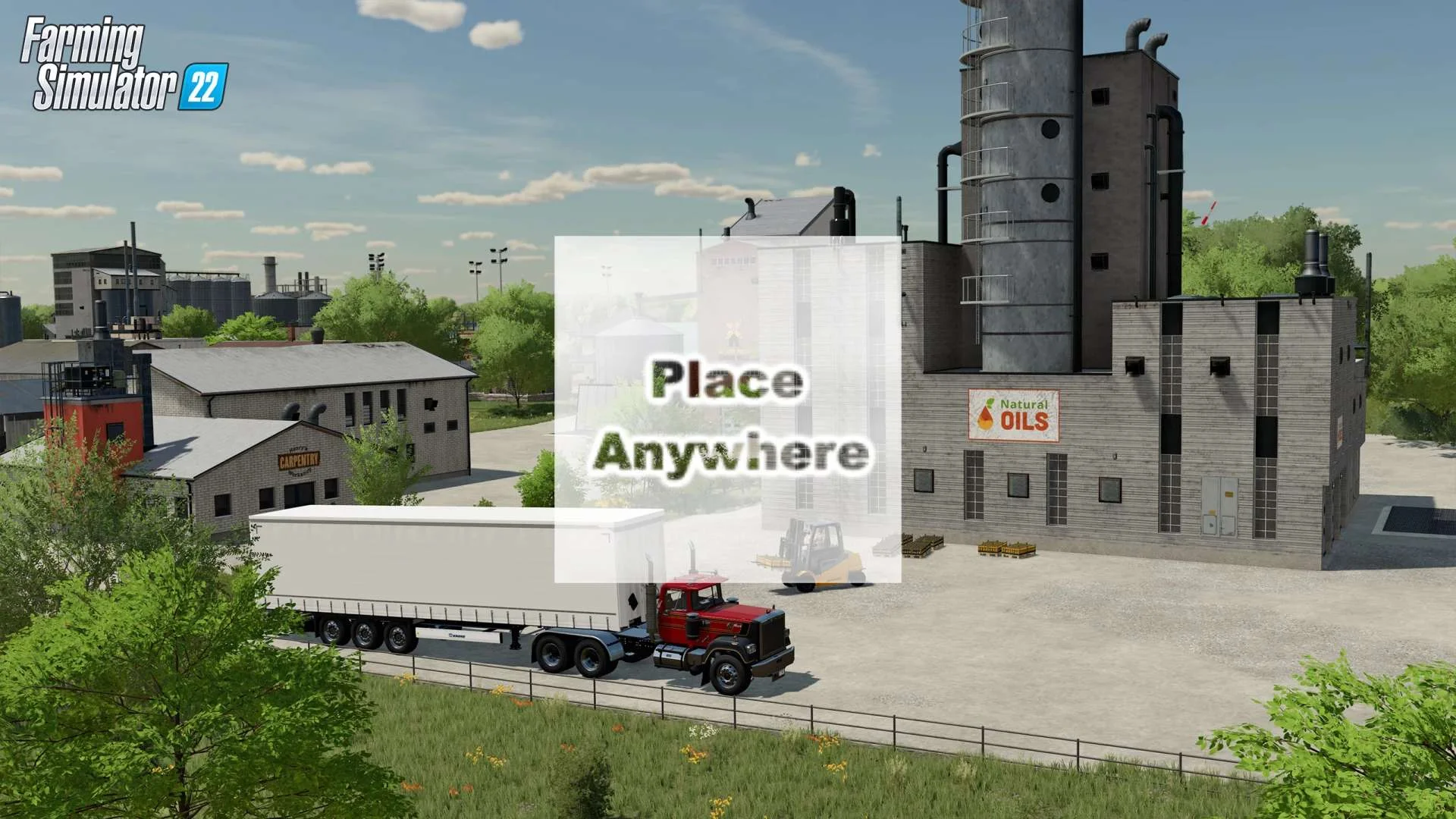
EN: Adds a button to build mode to toggle build collisions. DE: Fรผgt dem Baumodus eine Schaltflรคche hinzu, mit der Kollisionen umgeschaltet werden kรถnnen. FR: Ajoute un bouton au mode de construction pour activer les collisions de construction. Or try Place Anywhere mod by Ifko here : https://farming-simulator.r10dev.net/place-anywhere-v1-0-fs22/ Tags: DE EN FR

fs22-other
Free Download.ZIP File
Ready to DownloadDownload Mod
Reklam / Sponsor
Enhanced Vehicles V0.9.6 FS22 FS22 Mod Free Download
FS22fs22-mods
Verified Clean

Enhanced Vehicles V0.9.6 FS22

FS22 Other Community Mod

Fresh Mod
0 downloads

Version 0.9.6.0 for Farming Simulator 2022 (v1.1.1.0): โ€“ Added visualization of the โ€œdirection of movementโ€ mode (shift + home); โ€“ Errors in modDesc_l10n_en.xml allowed by the author of the mod. I havenโ€™t changed anything in the archive! The modification brings more information about the vehicle to the screen and adds several new features. Adds heading mode to your vehicle (he calls this a temporary fix until GPS / GuidanceSteering is released), differential locks, four-wheel drive modes, and improved hydraulic control. It also shows more details of the car in the HUD. The HUD displays: โ€“ Damage values โ€‹โ€‹in% for the driven machine and all its attachments. โ€“ Fuel level for diesel / AdBlue / electric / methane and current fuel consumption. โ€“ Current status of differential lock and 4WD mode. โ€“ Current engine speed and temperature. โ€“ The current weight of the driven vehicle and the total weight with all its accessories and weights. In multiplayer, all clients except the host will not display fuel consumption, engine temperature and weight correctly due to GIANTS Engine crash. ATTENTION: the mod is under development. This is a developer version โ€“ it may contain bugs. Below is a list of control buttons: โ€“ Ctrl + End โ€“ fix the direction of movement; โ€“ Shift + End โ€“ previous direction of movement; โ€“ Ctrl + Home โ€“ rotate and fix the direction (180 ยฐ); โ€“ Ctrl + PageUp and Ctrl + PageDown โ€“ change direction by 45 ยฐ; โ€“ Shift + PageUp and Shift + PageDown โ€“ change direction by 1 ยฐ; โ€“ Ctrl + Shift + PageUp and Ctrl + Shift + PageDown โ€“ change direction by 22.5 ยฐ; โ€“ Ctrl + Num 7 โ€“ enable / disable the differential on the front axle; โ€“ Ctrl + Num 8 โ€“ connect / disconnect the differential on the rear axle; โ€“ Ctrl + Num 9 โ€“ switch the mode of full (4WD) / not all-wheel drive (2WD); โ€“ Ctrl + Num / โ€“ reset the interface on errors or after changing the mod interface settings; โ€“ Ctrl + Num * โ€“ reload XML file when to display changes without reloading the game; โ€“ Shift + Home โ€“ disable / enable information display (Damage and fuel). Tags: ATTENTION Farming Simulator 2022 HUD XML

fs22-other
Free Download.ZIP File
Ready to DownloadDownload Mod
Realistic Cab View V1.0 FS22 FS22 Mod Free Download
FS22fs22-mods
Verified Clean

Realistic Cab View V1.0 FS22

FS22 Other Community Mod

Fresh Mod
0 downloads

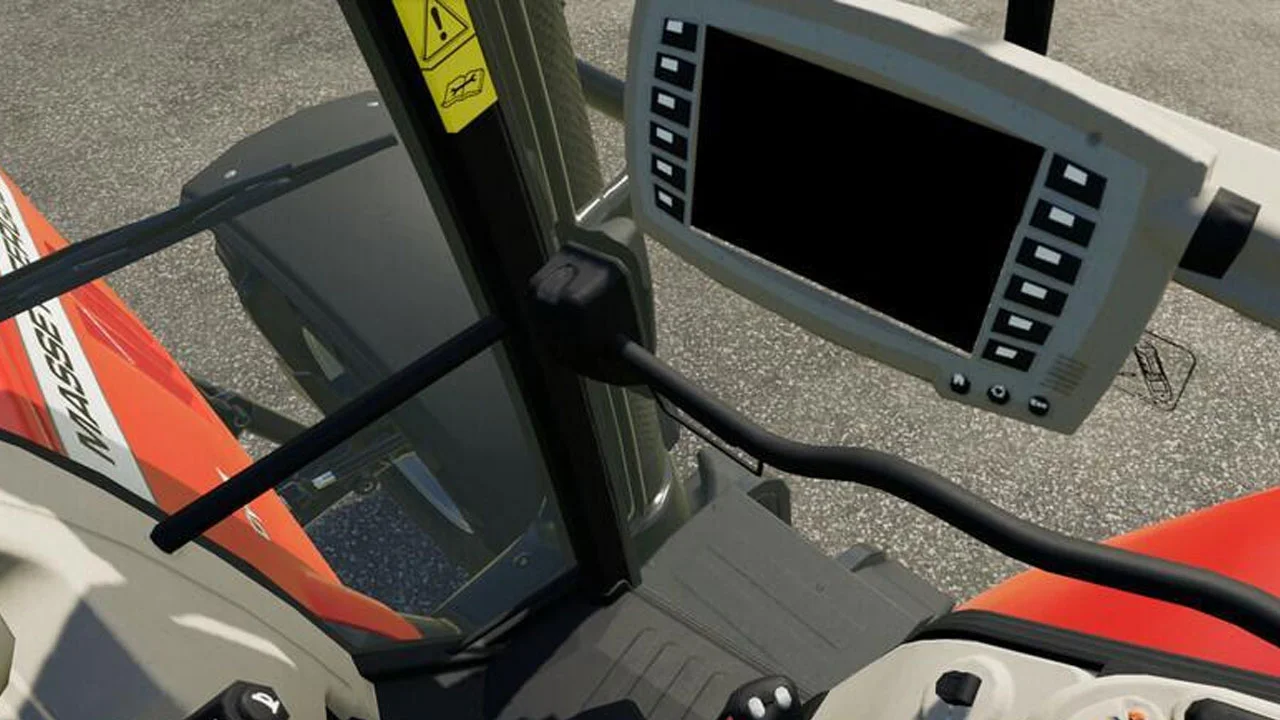
This mod adds realism to the first-person view from the inside of the car. It provides a better view for reversing or attachment. Functions: Inside the cockpit, full tilt is allowed for a better view from the windows (the default key is SHIFT); Swing limited to +/- 180 degrees when swiveling to look into the rear window; Added slight camera movement to simulate tilt when looking over the shoulder. Note: Sometimes on cars with small cabins, the camera will pass through the textures. The author has limited the tilt range on some cars without rear windows (for example, cars and trucks). Tags: example

fs22-other
Free Download.ZIP File
Ready to DownloadDownload Mod
Place Anywhere v1.0 FS22 FS22 Mod Free Download
FS22fs22-mods
Verified Clean

Place Anywhere v1.0 FS22

FS22 Other Community Mod

Fresh Mod
0 downloads

This mod allows you to place anywhere. I have a little script here, which enables you to place it anywhere when: The land is yours You have enough money for the property And the terrain can be customized This means that objects can now be placed closer to one another. Even an object goes into an object. Thereโ€™s never much more to say. Have fun with the mod You can try this mod also: https://farming-simulator.r10dev.net/place-anywhere-by-ian898-v1-0-fs22/ Tags: money

fs22-other
Free Download.ZIP File
Ready to DownloadDownload Mod
Hired Helper Tool v0.52Beta FS22 FS22 Mod Free Download
FS22fs22-mods
Verified Clean

Hired Helper Tool v0.52Beta FS22

FS22 Other Community Mod

Fresh Mod
0 downloads

Provides 30 helpers in MP/SP mode(Optional in the Lua more for SP and private purposes). In addition, the mod gives the helpers real gender-neutral names, because helper A is blocked goes times garnicht.Nothing more and nothing less. And yes one has otherwise only a limited number of helpers available in MP/SP. SP=10 helpers; (with mod 30) MP=number the player slots,say 4 slots = 4 helpers (with mod 30) What do I have to do ! You donโ€™t have to do anything but put the mod in your mod folder. Everything else goes Automatically. Nothing more, nothing less In multiplayer and singleplayer play. And if you donโ€™t like it you should just not load it: 1.Release with original download link only. NO substitute link 2.Modifying as well as re-uploading is not allowed Tags: MP SP

fs22-other
Free Download.ZIP File
Ready to DownloadDownload Mod
Full Stop mod v1.0 FS22 FS22 Mod Free Download
FS22fs22-mods
Verified Clean

Full Stop mod v1.0 FS22

FS22 Other Community Mod

Fresh Mod
0 downloads

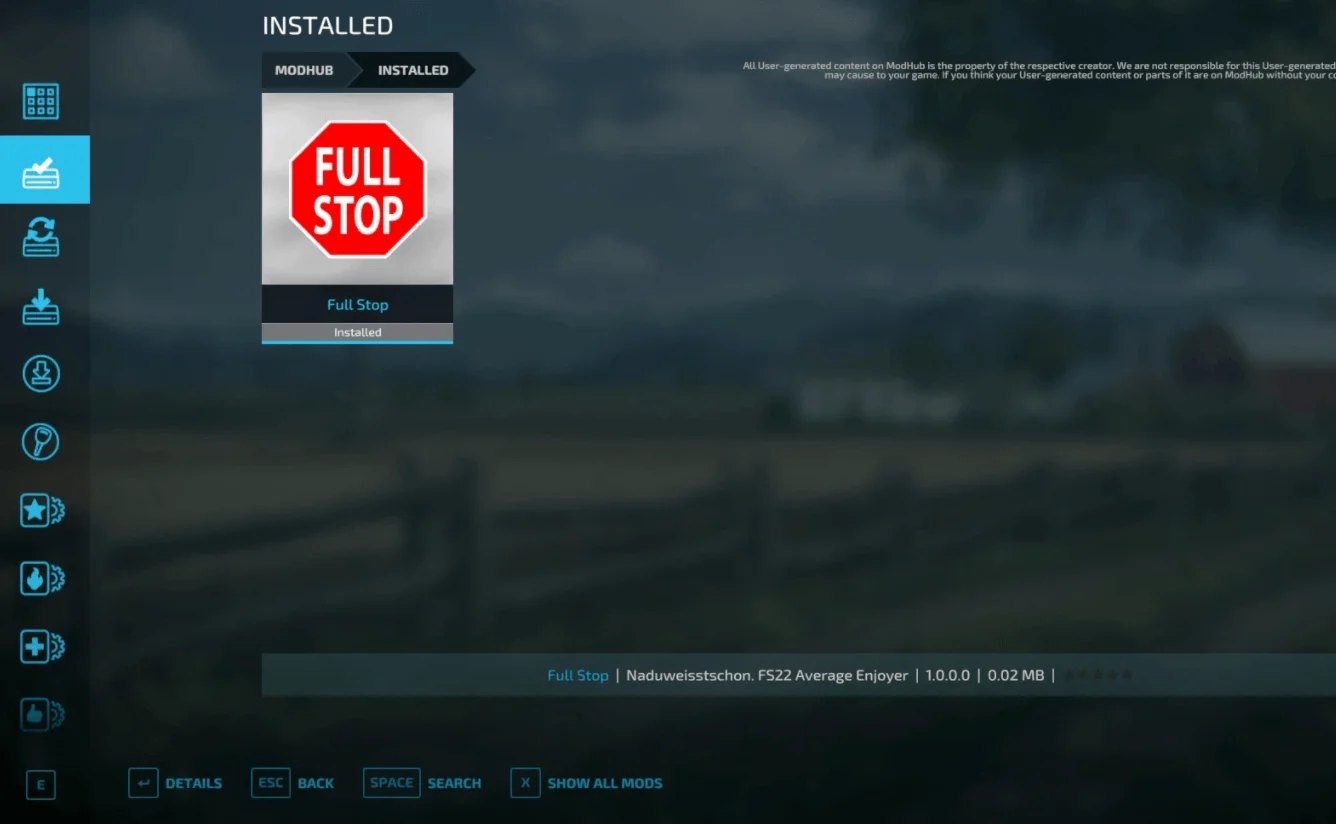
This mod prevents the combine from continuing to operate when its grain tank is full, thereby destroying crops. In addition, the unloading auger extends as soon as the combine stops. After a few seconds, you can continue driving again. The harvester stops when you are traveling with or without cruise control. Changelog 1.0.0.0: โ€“ Conversion to Farming Simulator 22; โ€“ Works with cotton harvesters, as well as pickers of grapes and olives. Tags: Farming Simulator

fs22-other
Free Download.ZIP File
Ready to DownloadDownload Mod
FS22 AutoDrive FS22 Mod Free Download
FS22fs22-mods
Verified Clean

FS22 AutoDrive

FS22 Other Community Mod

Fresh Mod
0 downloads

This FS22 mod can be used to create a network of routes for vehicles to drive autonomously. Once setup you can tell a tractor that is standing anywhere close to the network to drive to any point, such as the shop, field 1 or to a sell point. Changelog for Release 1.1.1.8 Game freezes (Error: PathFinderModule.lua:1958: bad argument #2 to โ€˜maxโ€™) #2027 & #2033 Waypoints are not shown but are there #2081 Waypoints and routes disappear below road #2054 During load options, the continue button does not respond #2076 Problem on triggers (showing R for a refill in other vehicles) #2103 driving without engine ON in some situations detection of user entered a vehicle on dedi servers TWEAKS: extended departure filling routine: it can now take up to 3s until drive so that loading f.e. with wheel loader gives some more time to fill trailer completely #2097 unload after the finished job if parking after the job was activated #1906 dynamically adjust front left and right sensors to attached implement size in the front, mainly needed for harvesting all possible HUD inputs can now be assigned to free selectable key combinations #2018 EasyAutoLoad with configurable unload wait time, f.e. use for goods/pallets which need some time to unload/disappear non-functional settings have been moved to a new separate page (turn signal setting and rotating beacon) MEGATWEAK: Chopper and Harvester unloader routine complete rework IMPORTANT: still not working properly with in-game sugarcane harvester! Turn maneuver calculation optimized/faster Harvester controlled by helper: the unloader reverses when the harvester turns to make room for turning Chopper controlled by helper: the unloader waits while the chopper turns CP Chopper: when CP reports a slowdown due to traffic, the pipe distance will be gradually increased until traffic no longer slows down (topic for improvements in CP) CP Harvester: unloader only reverses when harvester wants to unload in a pocket or outside of the fruit/crop, otherwise it stays in position waiting for the next call or moves to unload AIVE Chopper: no change needed AIVE Harvester: will unload if caught with a fill level <90% (AIVE setting: not stop for unloading) or otherwise the unloader waits until the harvester is full and stops for unloading Chopper: unloader behind chopper or chopper turns: if trailer reached unload fill-level it will drive reverse and then to unload as some trailers might not be filled completely in these situations unloader left or right from chopper: drive to unload immediately if completely filled, i.e. over unload fill-level it might happen that the unloader stops 2-3 times behind the turning chopper before harvesting continues if the chopper is still reporting to the unloader that it is in a turn maneuver Harvester: the unloader is automatically called when the harvester is stopped and the pipe is extended, whether the pipe is out of the field or in the crop the unloader follows the harvester: is called when the early call level is reached (immediately if set to 0%). is unloaded if the pipe is outside the field and not in the fruit is unloaded when the early call level is reached until the unloader is full when the unloader is full or the harvester is empty, the unloader waits some time for the next call or drives to unload the unloader reverses when it gets stuck the unloader follows the pipe position even if a user is driving the harvester Tags: AIVE HUD TWEAKS wheel loader

fs22-other
Free Download.ZIP File
Ready to DownloadDownload Mod
Reklam / Sponsor
EnhancedVehicle v1.2.1 FS22 FS22 Mod Free Download
FS22fs22-mods
Verified Clean

EnhancedVehicle v1.2.1 FS22

FS22 Other Community Mod

Fresh Mod
0 downloads

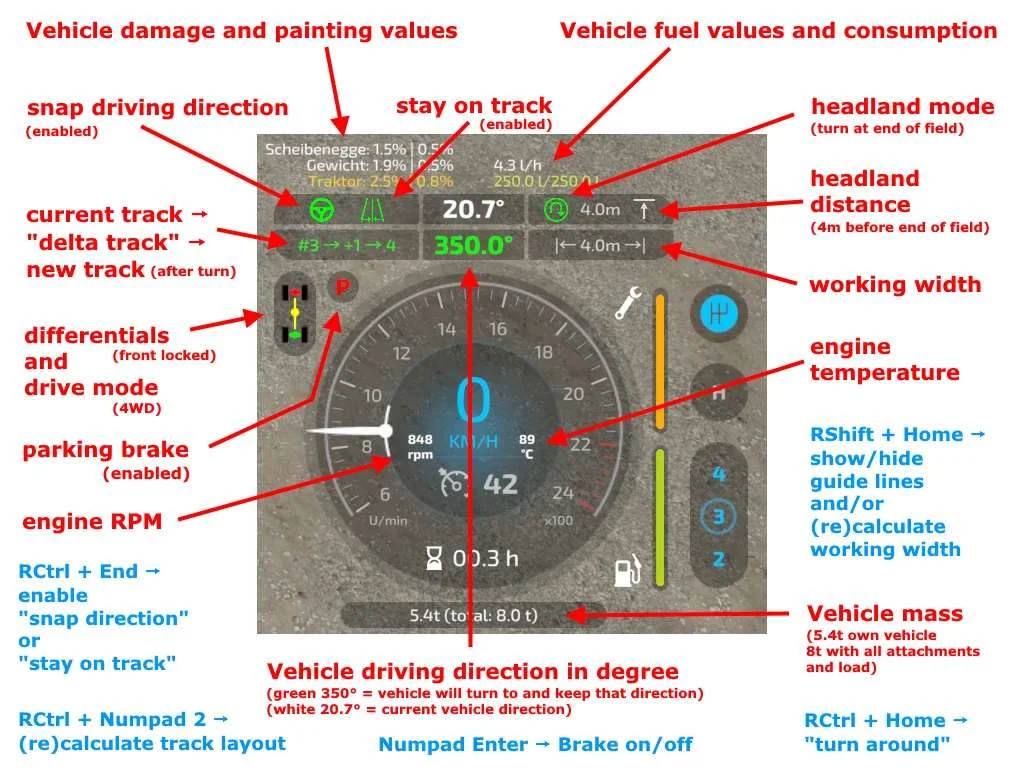
What does EnhancedVehicle do? 1.2.1.0 โ€“ added headland trigger distance sound โ€“ Added โ€œtรผdelรผโ€ sound when approaching the headland trigger (thanks to โ€œandre020478โ€ for the sample); โ€“ Added a configuration menu option that determines how many meters before the headland an audio signal is played; โ€“ Translation updates; โ€“ Built-in translation into Russian; 2022-01-25 โ€“ V1.2.0.0 + added a display for the remaining distance to the headland trigger + added config option to choose which lines should be displayed (all, none, tracks only, vehicle+working width only) + added config XML option to specify sfx volume * ATTENTION: Way of โ€œhow it worksโ€ changed: โ€“ Press RShift+Home to switch throught operating modes: โ€œsnap to directionโ€ or โ€œsnap to trackโ€ โ€“ Hold RShift+Home to disable track assistant โ€“ Press RStrg+Numpad1 to (re)calculate working width * leaving a vehicle will no longer disable snap direction/track * remapped move offset line from RAlt+Numpad -/+ to RShift+RCtrl+Numpad -/+ 2022-01-15 โ€“ V1.1.3.1 * translation updates * updated differential lock sound 2022-01-11 โ€“ V1.1.3.0 + added warning message if parking brake is applied when trying to move vehicle + added config XML option to move dmg/fuel HUD display in classic FS19 configuration + added config XML option to move misc (weight) HUD display + added config XML option to modify inactive/active color of some HUD elements โ€“ removed the requirement to enable/disable functionality of parking brake to be able to use the brake * small fix in โ€œturn aroundโ€ function 2022-01-04 โ€“ V1.1.2.0 + re-added the background for dmg/fuel display in classic FS19 configuration * parking brake should now work in manual transmission(+clutch) mode * renamed โ€œHandbremseโ€ to โ€œFeststellbremseโ€ * moved the global settings in configuration menu to the bottom This mod adds a track assistant, a parking brake, differential locks, drive modes (all-wheel, RWD/FWD) and direct control of front/rear hydraulics and equipment to (motorized) vehicles. Additionally, the HUD gets a bit of an upgrade with a more detailed damage indicator, fuel tank level, fuel consumption, engine RPM and temperature, and weight/total weight. Note I recommend to open the configuration menu once after each new mod version via โ€œCtrl + Numpad /โ€ and reset to default settings. Whatโ€™s new in version 0.9.x? First of all: Welcome to FS22. The mod functions from the FS19 version have all been taken over โ€“ except for the shuttle shift. That feature has been removed, as the game now supports this out of the box. NEW feature: a track assistant (โ€œGPS lightโ€) and a simple โ€œhold directionโ€ mode (โ€œsnap to directionโ€). How does the Track Assistant work? Drive to the field with your vehicle and an attachment and turn on the guide lines with RShift+Home. Position your vehicle parallel to the edge of the field. Turn on the track assistant with RCtrl + Numpad 2. A bunch of lines will appear representing the tracks. Above the speedometer you can see the current track number your vehicle is in, and next to it a number between -5 to +5. This number indicates how many tracks your vehicle will turn when you press the โ€œturnโ€ button. Example: You are in track #5 and press โ€œturnโ€ with a value of +1 -> your vehicle will enter track #6. Example 2: You are in track #10 and press โ€œturn aroundโ€ with a value of -3 -> your vehicle will sort into track #7. Press RCtrl + End to automatically keep the car in the current track. You donโ€™t need to steer now โ€“ just accelerate/brake or turn on cruise control. At the end of the field, the vehicle can turn around if you press RCtrl + Home. Note: The vehicle simply tries to reach the new track. It is not very intelligent about it. It does not turn in several moves or something like that. Just try it out and see how it works. When you steer, track keeping is immediately disabled. With RCtrl + End you turn it back on. If you changed the attachment or want to realign tracks -> RCtrl + Numpad 2. Headland: In the config menu you can turn on/off the headland mode, configure what should happen when headland is reached and set the distance to the end of the field Keyboard mapping (can be remapped in game options) / full list on Github Ctrl + Numpad / โ€“ Open configuration menu. There you can turn on/off some functions and turn on/off the HUD elements. RCtrl + End โ€“ keep vehicle in current track or snap to current direction RCtrl + Home โ€“ Turn into next track or turn direction of travel by 180ยฐ RShift + Home โ€“ Change operating mode (snap to direction / snap to track / hold one second to turn assistant off) RStrg + Numpad 1 โ€“ (Re)calculate working width RStrg + Numpad 2 โ€“ (Re)calculate track layout RStrg + Numpad 3 โ€“ Cycle through different display modes for the guide lines RCtrl + Numpad 7 โ€“ Differential Lock Front Axle On/Off RCtrl + Numpad 8 โ€“ Differential Lock Rear Axle On/Off RCtrl + Numpad 9 โ€“ Change Drive Mode (All-Wheel Drive, RWD/FWD) Numpad Enter โ€“ Activate/release parking brake LAlt + 1 to 4 โ€“ hydraulic

fs22-other
Free Download.ZIP File
Ready to DownloadDownload Mod
Vehicle Explorer V0.2.0.2 FS22 FS22 Mod Free Download
FS22fs22-mods
Verified Clean

Vehicle Explorer V0.2.0.2 FS22

FS22 Other Community Mod

Fresh Mod
0 downloads

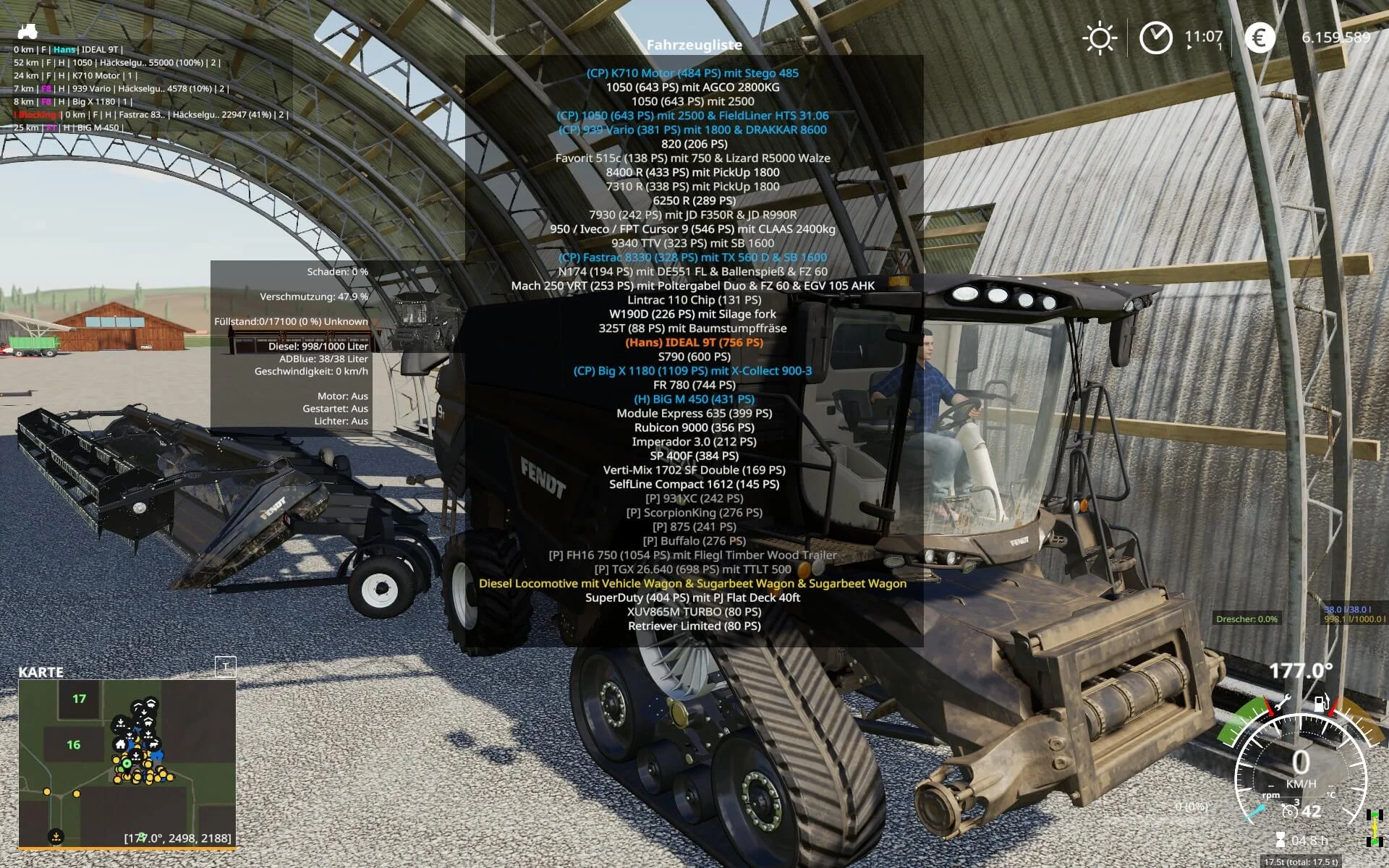
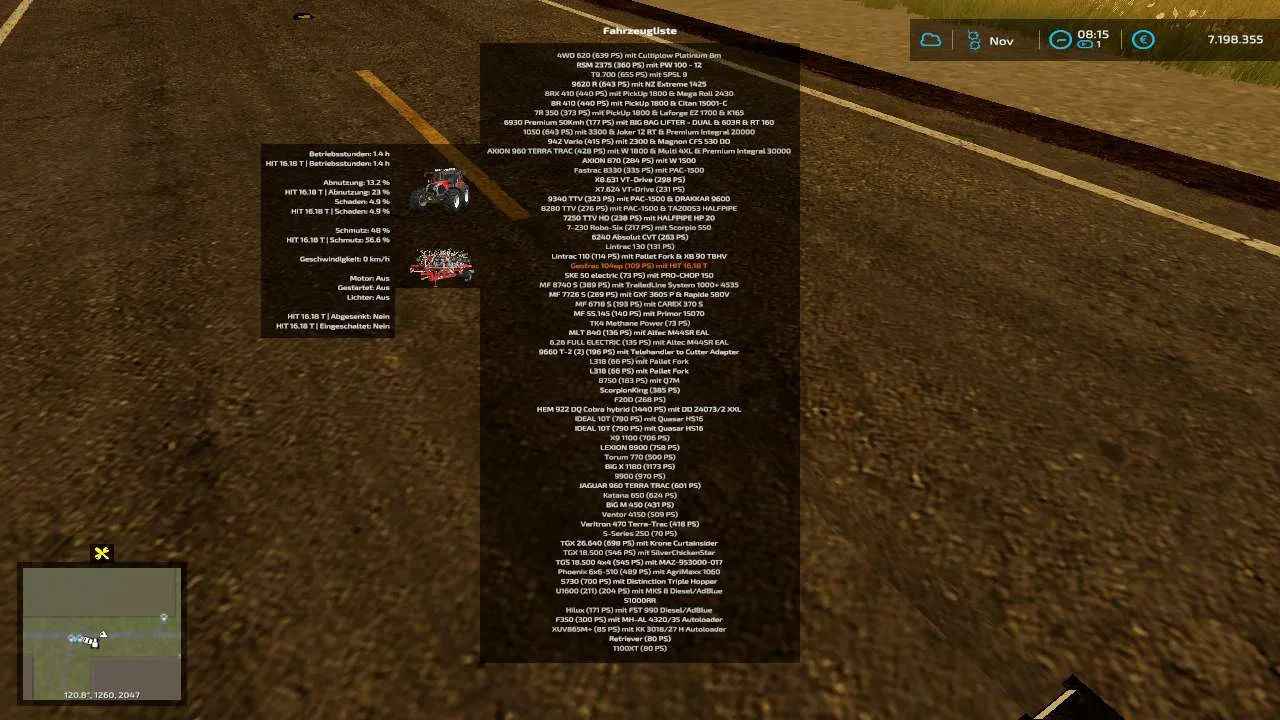
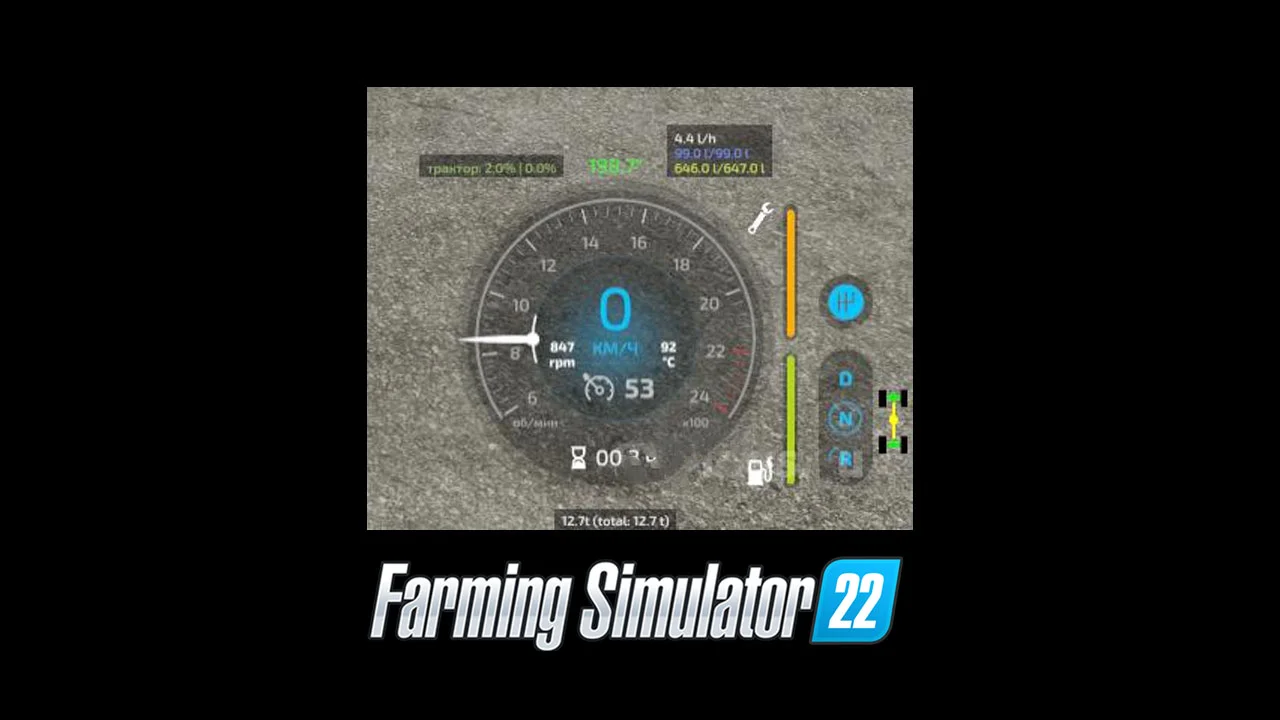
This is a revamp of the good old VehicleSort from FS17 For beginners: VehicleExplorer helps you organize your vehicles, by showing you a list which can be organized, well, sorted by you. Besides that it has a couple of additional functionality. See below. Features List of all steerable vehicles (Specialization: Enterable) Set a customer order for your vehicles Your order is saved in the default vehicles.xml, so no additional clutter Enter your vehicles directly with a click of a (mouse) button This is meant literally, see known issues EasyTab: Switch between the last two selected vehicles Park your vehicles, so that a switch of vehicles via Tab ignores them Repair vehicles and its implements Let your vehicle and implements get cleaned on a repair from your friendly VeEx staff If Seasons is enabled, you can also let the vehicle and implements get repainted Displaying a store image next to the list Info box with additional informations Motor on/off, turned on/off (for e.g. harvester) and light status is saved and restored Different colors in the list if a vehicle is selected, or currently used by a helper/Courseplay Config Menu Config is saved per savegame within modsSettings/VehicleExplorer/savegameX Show/hide trains in the list Show/hide station cranes in the list (No idea if that actually works, would need a map with a crane to test) Show/hide steerable implements/trailers (e.g. forwarder trailer with crane) Show/hide brand names in the list Show/hide your own name when you enter a vehicle Show/hide horse power in the list Show/hide fill levels in the list Show/hide implements in the list Show/hide store images Show/hide infobox Move infobox up/down Show/hide a background for the infobox/store image Change text size Change text alignment Change list background transparency Enable/disable saving of the additional vehicle status (motor, turnedOn, lights) Show/hide keybindings in the game F1 help menu (needs a game restart to take affect) Clean vehicle & implements on a repair Tardis integration With Tardis you can teleport yourself AND your vehicles to any position on the map With VehicleExplorer & Tardis you can select a vehicle on the list, and teleport that to any location without entering it. You can also configure if you want to enter the vehicle after teleportation or just drop the vehicle to another location With Tardis Map Hotspots you can again, select a vehicle and quickly teleport that to one of those hotspots Known issues Although you can change all the keyboard bindings, the mouse actions are hardcoded for now Left mouse click: Enter vehicle Right mouse click: Select vehicle (to e.g. move it) Right mouse click: Change value in the config menu Mouse wheel: Selection up/down in list Max of three columns. If youโ€™ve more vehicles (which would be insane anyways, just disable the display of brand name etc Incompatible Mods SpeedControl Actually both work fine side by side. There is just a keybinding overlap. So youโ€™ve to set new keybindings through the game menu for Key 1, Key 2, Key NumPad Plus, Key NumPad Minus Changed the default keybinding. So there is no overlap anymore. Default Keybinding Key Combi Action LAlt + v Show/hide vehicle list LAlt + KeyPad Minus Show/hide config menu KeyPad Enter Enter vehicle LAlt + p Toggle parking LAlt + KeyPad 5 Select item (for moving the vehicle) or to change values in the config LAlt + KeyPad 8 Move up in the list/config LAlt + KeyPad 2 Move down in the list/config LAlt + 1 Move up fast in the list/config LAlt + 2 Move down fast in the list/config LAlt + R Repair vehicle incl. implements Tab Next vehicle; VeEx own switch vehicle implementation (necessary to tab through vehicles in your own order) Shift + Tab Previous vehicle; VeEx own switch vehicle implementation (necessary to tab through vehicles in your own order) LCtrl + Tab easyTab; Easily tab between the last two vehicles you switched through VeEx Mouse Left Enter vehicle Mouse Right Select item/change values in config Mouse Wheel List up/down If you want to use the โ€˜sorted tabbingโ€™, make sure you drop the default key binding in the game menu. I didnโ€™t find a way to overwrite the default vehicle switching, and I think itโ€™s better to let you, the user, this choice anyways. Meaning of colors used Color Meaning White Standard Green Current player is controlling vehicle Orange Vehicle selected Red Vehicle locked (necessary to move it up/down in the list) Grey Vehicle is parked Blue Vehicle is controlled by AI (Helper or Courseplay) Light Pink Vehicle is controlled by FollowMe (not yet available) Yellow Engine is running Note that the current version does NOT support multiplayer! There were reports that VehicleExplorer does work in MP if you simply change the moddesc.xml. Although I assume not everything works then. Anyways, I decided to work on a MP version. Just have no idea yet till when it will be available. Tags: Grey Vehicle Incompatible Mods Mouse Right Select Red Vehicle
fs22-other
Free Download.ZIP File
Ready to DownloadDownload Mod
Vehicle Explorer v0.2.0.1 FS22 FS22 Mod Free Download
FS22fs22-mods
Verified Clean

Vehicle Explorer v0.2.0.1 FS22

FS22 Other Community Mod

Fresh Mod
0 downloads

This is a revamp of the good old VehicleSort from FS17 For beginners: VehicleExplorer helps you organize your vehicles, by showing you a list which can be organized, well, sorted by you. Besides that it has a couple of additional functionality. See below. Features Known issues Incompatible Mods Default KeybindingKey CombiActionLAlt + vShow/hide vehicle listLAlt + KeyPad MinusShow/hide config menuKeyPad EnterEnter vehicleLAlt + pToggle parkingLAlt + KeyPad 5Select item (for moving the vehicle) or to change values in the configLAlt + KeyPad 8Move up in the list/configLAlt + KeyPad 2Move down in the list/configLAlt + 1Move up fast in the list/configLAlt + 2Move down fast in the list/configLAlt + RRepair vehicle incl. implementsTabNext vehicle; VeEx own switch vehicle implementation (necessary to tab through vehicles in your own order)Shift + TabPrevious vehicle; VeEx own switch vehicle implementation (necessary to tab through vehicles in your own order)LCtrl + TabeasyTab; Easily tab between the last two vehicles you switched through VeExMouse LeftEnter vehicleMouse RightSelect item/change values in configMouse WheelList up/down If you want to use the โ€˜sorted tabbingโ€™, make sure you drop the default key binding in the game menu. I didnโ€™t find a way to overwrite the default vehicle switching, and I think itโ€™s better to let you, the user, this choice anyways. _ Meaning of colors usedColorMeaningWhiteStandardGreenCurrent player is controlling vehicleOrangeVehicle selectedRedVehicle locked (necessary to move it up/down in the list)GreyVehicle is parkedBlueVehicle is controlled by AI (Helper or Courseplay)Light PinkVehicle is controlled by FollowMe (not yet available)YellowEngine is runningNote that the current version does NOT support multiplayer! There were reports that VehicleExplorer does work in MP if you simply change the moddesc.xml. Although I assume not everything works then. Anyways, I decided to work on a MP version. Just have no idea yet till when it will be available. Tags: Dschonny Slivicon MP Standard Tastenbelegung Vehicle Explorer

fs22-other
Free Download.ZIP File
Ready to DownloadDownload Mod
EnhancedVehicle v1.1.3.1 FS22 FS22 Mod Free Download
FS22fs22-mods
Verified Clean

EnhancedVehicle v1.1.3.1 FS22

FS22 Other Community Mod

Fresh Mod
0 downloads

The modification displays more information about the technique and adds several new features. Version 1.1.3.1: โ€“ Updating translations (on this version for the Russian translation is not relevant because of the last paragraph); โ€“ Added sound of switching differentials; โ€“ Built-in translation into Russian; Adds directional steering (analogous to GPS/Guidance Steering), differential locks, 4WD modes and improved hydraulic control to your vehicle. It also shows more car details in the HUD. The HUD displays: โ€“ Damage values โ€‹โ€‹in % for the steered machine and all its attachments. โ€“ Fuel level for Diesel / AdBlue / Electric / CNG and current fuel consumption. โ€“ Current status of differential lock and 4WD mode. โ€“ Current engine speed and temperature. โ€“ The current weight of the steered machine and the total weight with all its attachments and loads. Below is a list of control buttons: !The full list can be viewed in the control settings! โ€“ RCtrl+Num / โ€“ mod settings menu; โ€“ RCtrl+End โ€“ fix the direction of movement or fix to the course; โ€“ RShift+End โ€“ previous direction of movement; โ€“ RCtrl+Home โ€“ rotate and fix the direction (180ยฐ); โ€“ RShift+Home โ€“ on/off display of guide lines; โ€“ RCtrl+PageUp and RCtrl+PageDown โ€“ change direction angle by 45ยฐ; โ€“ RShift+PageUp and RShift+PageDown โ€“ change direction angle by 1ยฐ; โ€“ RCtrl+RShift+PageUp and RCtrl+RShift+PageDown โ€“ change direction angle by 22.5ยฐ; โ€“ RShift+Num / and RShift+Num * โ€“ headland distance; โ€“ RCtrl+Num 7 โ€“ switch the differential on the front axle; โ€“ RCtrl+Num 8 โ€“ switch the differential on the rear axle; โ€“ RCtrl+Num 9 โ€“ switch drive mode (4WD/2WD); โ€“ Num Enter โ€“ switch the parking brake mode; Tags: HUD

fs22-other
Free Download.ZIP File
Ready to DownloadDownload Mod
Reklam / Sponsor
EnhancedVehicle v1.1.2 FS22 FS22 Mod Free Download
FS22fs22-mods
Verified Clean

EnhancedVehicle v1.1.2 FS22

FS22 Other Community Mod

Fresh Mod
0 downloads

Track assistant, parking brake, differential locks, wheel drive modes and better hydraulics controls for your vehicle. Shows more vehicle details on HUD. What this mod does When the game starts, it changes all โ€œmotorizedโ€ and โ€œcontrollableโ€ vehicles on the map to default settings: wheel drive mode to โ€œall-wheel (4WD)โ€ and deactivation of both differentials. Press Ctrl+Numpad / to open the config dialog. Press R Ctrl+End to keep your vehicle driving in the current direction. Press R Ctrl+Home to reverse snap direction (useful after turn around at end of field) Press R Ctrl+Numpad 2 to enable the track assistant If you now enable snap mode the vehicle will drive on the current marked track Press R Ctrl+Numpad 4/6 to adjust the turnover track number (from -5 to 5) Configure headland behavior in configuration menu Press R Ctrl+Numpad Enter to enable the parking brake functionality Now you can press Numpad Enter to put your vehicle in parking mode. It wonโ€™t move an inch in this mode. On HUD it displays: (When snap/track is enabled) The current snap to angle and current track and turnover number( Damage values in % for controlled vehicle and all its attachments. Fuel fill level for Diesel/AdBlue/Electric/Methane and the current fuel usage rate1. The current status of the differential locks and wheel drive mode. The current engine RPM and temperature1. The current mass of the vehicle and the total mass of vehicle and all its attachments and loads. Keybindings can be changed in the game options menu. In multiplayer games, all clients, except the host, wonโ€™t display the fuel usage rate and engine temperature correctly due to GIANTS Engine limitations Tags: Default Keybindings HUD Press Ctrl Numpad RPM

fs22-other
Free Download.ZIP File
Ready to DownloadDownload Mod
TERRA FARM v0.3.4.1 FS22 FS22 Mod Free Download
FS22fs22-mods
Verified Clean

TERRA FARM v0.3.4.1 FS22

FS22 Other Community Mod

Fresh Mod
0 downloads

Tested version 0.3.4.1 on January 5th, 2021. This LS22 Terra Farm Script enables the player to do landscaping with standard machines and mods. Prices: The purchase price is: 0 โ‚ฌ The daily maintenance costs are: 0 โ‚ฌ No available configuration options: No configuration options. Supported standard devices: Albutt โ€“ front loader shovel Magsi โ€“ Telehandler shovel Magsi โ€“ wheel loader shovel McCormick โ€“ dump bucket Paladin โ€“ high tip shovel Supported mods (version 0.3.4.1): Case CX250D long range shovels CAT 990H shovel HAMM H11i road roller Liebherr R926 shovels Volvo EC750 buckets Volvo L-350H bucket Supported filltypes (version 0.3.4.1): Asphalt Money Bricks Concrete Limestone Pebbles Sand Iron Paydirt River sand Stone powder Clay Functions: As soon as the script has been activated, the player can do landscaping if he has the right devices / machines; The Landscaping Mouds can be activated with the โ€œZโ€ key; The dismantling mode can be changed using the โ€œXโ€ key; The unloading mode can be changed with the โ€œBโ€ key; The menu is accessed using the โ€œYโ€ key; Various settings can be made in the menu, including the strength, the radius, but also general things; The script runs in the single player and multiplayer area, but not yet 100% function in multiplayer; It is a BETA version. Problems: No problems in the form of game crashes or log errors detected, as this is a BETA version, there may be errors in functionality! Tags: BETA

fs22-other
Free Download.ZIP File
Ready to DownloadDownload Mod
LIGHTING v2.0 FS22 FS22 Mod Free Download
FS22fs22-mods
Verified Clean

LIGHTING v2.0 FS22

FS22 Other Community Mod

Fresh Mod
0 downloads

Before we start, it is worth making a backup of the MapUS and shop folders folder paths in my case C: \ Program Files (x86) \ Steam \ steamapps \ common \ Farming Simulator 22 \ data \ maps \ mapUS, C: \ Program Files (x86) \ Steam \ steamapps \ common \ Farming Simulator 22 \ data \ store \ ui \ envMaps \ shop!! 1. We go to the main folder of the game, in my case it is C: \ Program Files (x86) \ Steam \ steamapps \ common \ Farming Simulator 22 \ data \ maps \ mapUS; 2. Go to the map folder, in my case, MapUS, go to the folder and replace the TXT environment and colorgrading files; 3. Then go to in my case C: \ Program Files (x86) \ Steam \ steamapps \ common \ Farming Simulator 22 \ data \ store \ ui \ envMaps \ shop; 4. Go to the shop folder and replace the DDS 0_0_0_C1 file with the one attached by me; 5. We enter the game, fire up SAVE, enter the store, choose a machine, leave the store and enjoy the new look of the game. Important: after each entry to save, you need to load the lighting by entering the store and selecting any machine, also when we enter the changing rooms, we have to reload the lighting by the above-mentioned way! Tags: DDS Farming Simulator 22 SAVE TXT

fs22-other
Free Download.ZIP File
Ready to DownloadDownload Mod
Enhanced Vehicle V1.0.1 FS22 FS22 Mod Free Download
FS22fs22-mods
Verified Clean

Enhanced Vehicle V1.0.1 FS22

FS22 Other Community Mod

Fresh Mod
0 downloads

Version 1.0.1.0 for Farming Simulator 2022 (v1.2x): โ€“ Bug fixes; โ€“ Optimization; โ€“ Built-in translation into Russian The modification brings more information about the vehicle to the screen and adds several new features. Adds heading mode (similar to GPS / Guidance Steering) to your vehicle, differential locks, four-wheel drive modes and improved hydraulic control. It also shows more details of the car in the HUD. The HUD displays: โ€“ Damage values โ€‹โ€‹in% for the driven machine and all its attachments. โ€“ Fuel level for diesel / AdBlue / electric / methane and current fuel consumption. โ€“ Current status of differential lock and 4WD mode. โ€“ Current engine speed and temperature. โ€“ The current weight of the driven vehicle and the total weight with all its accessories and weights. Below is a list of control buttons:! The full list can be found in the control settings! โ€“ RCtrl + Num / โ€“ mod settings menu; โ€“ RCtrl + End โ€“ fix the direction of movement or fix to the course; โ€“ RShift + End โ€“ previous direction of movement; โ€“ RCtrl + Home โ€“ turn and fix the direction (180 ยฐ); โ€“ RShift + Home โ€“ on / off display of guidance lines; โ€“ RCtrl + PageUp and RCtrl + PageDown โ€“ change the direction angle by 45 ยฐ; โ€“ RShift + PageUp and RShift + PageDown โ€“ change the direction angle by 1 ยฐ; โ€“ RCtrl + RShift + PageUp and RCtrl + RShift + PageDown โ€“ change the direction angle by 22.5 ยฐ; โ€“ RShift + Num / and RShift + Num * โ€“ headland distance; โ€“ RCtrl + Num 7 โ€“ switch the differential on the front axle; โ€“ RCtrl + Num 8 โ€“ switch the differential on the rear axle; โ€“ RCtrl + Num 9 โ€“ switch drive mode (4WD / 2WD); Tags: Farming Simulator 2022 HUD

fs22-other
Free Download.ZIP File
Ready to DownloadDownload Mod
Cut Processor v2.1.1.28 FS22 FS22 Mod Free Download
FS22fs22-mods
Verified Clean

Cut Processor v2.1.1.28 FS22

FS22 Other Community Mod

Fresh Mod
0 downloads

The Cut Processor deals with anything you can cut; grass, hay, silage, straw and chaff. It is a way to output some of the cheaper stuff to more expensive stuff. Some details: Price: 99,500, Running cost: 5 per day. Storage: 1,500,000 L each of Grass, Hay, Silage, Straw and Chaff. Conversions: 2000 Grass to 2500 Hay, 240 cycles per month, cost 48 per month. 2000 Grass to 2500 Silage, 240 cycles per month, cost 48 per month. 2000 Chaff to 2500 Silage. 240 cycles per month, cost 48 per month. 10 Grass + 1000 Straw to 1150 Chaff, 72 cycles per month, cost 120 per month All unit cost is defaulted to your set currency ($, ยฃ etcetera). Language support: English French (franรงais) German (Deutsch) I apologise if my translation skills are a little off. Tags: Cut Processor English French

fs22-other
Free Download.ZIP File
Ready to DownloadDownload Mod
...

What are Farming Simulator mods?

Everything you need to know about FS Mods Forum

What is FS Mods Forum?

FS Mods Forum is a community platform where players and modders share, discover, and download Farming Simulator 25 and Farming Simulator 22 mods for free.

How can I publish my mod?

Create a free account, click 'Add Mod', fill in your mod details, title, category and download link. Your mod will be instantly listed.

Is it free to download and share mods?

Yes, downloading and sharing mods on FS Mods Forum is 100% free for all members.

Reklam / Sponsor